GIF Studio by FlorindoLAB
Beta. Make GIFs from a video or a picture, right in your browser: trimming, animated text, emojis, blur, cropping.
GIF Studio turns a video or a picture into an animated GIF in a few seconds: import, pick the moment, write, export. Everything runs in the browser: nothing to install, no account, and no video or picture is ever sent to a server.
Import
- Video (MP4, WebM, MOV depending on the browser) or picture, by drag and drop, file picker or paste.
- Direct link to a video file, when the hosting site allows it.
- Record a tab, a window or the screen (60 s, no sound), handy for a video watched online. On desktop, with Chrome, Edge or Firefox.
Edit
- Trim bar with thumbnails, speed from ¼× to 2×, forward, reverse or ping-pong playback.
- Original, 1:1, 16:9, 9:16, 4:3 formats or free cropping.
- Ready-made filters and fine tuning, slow motion for still pictures.
Write and decorate
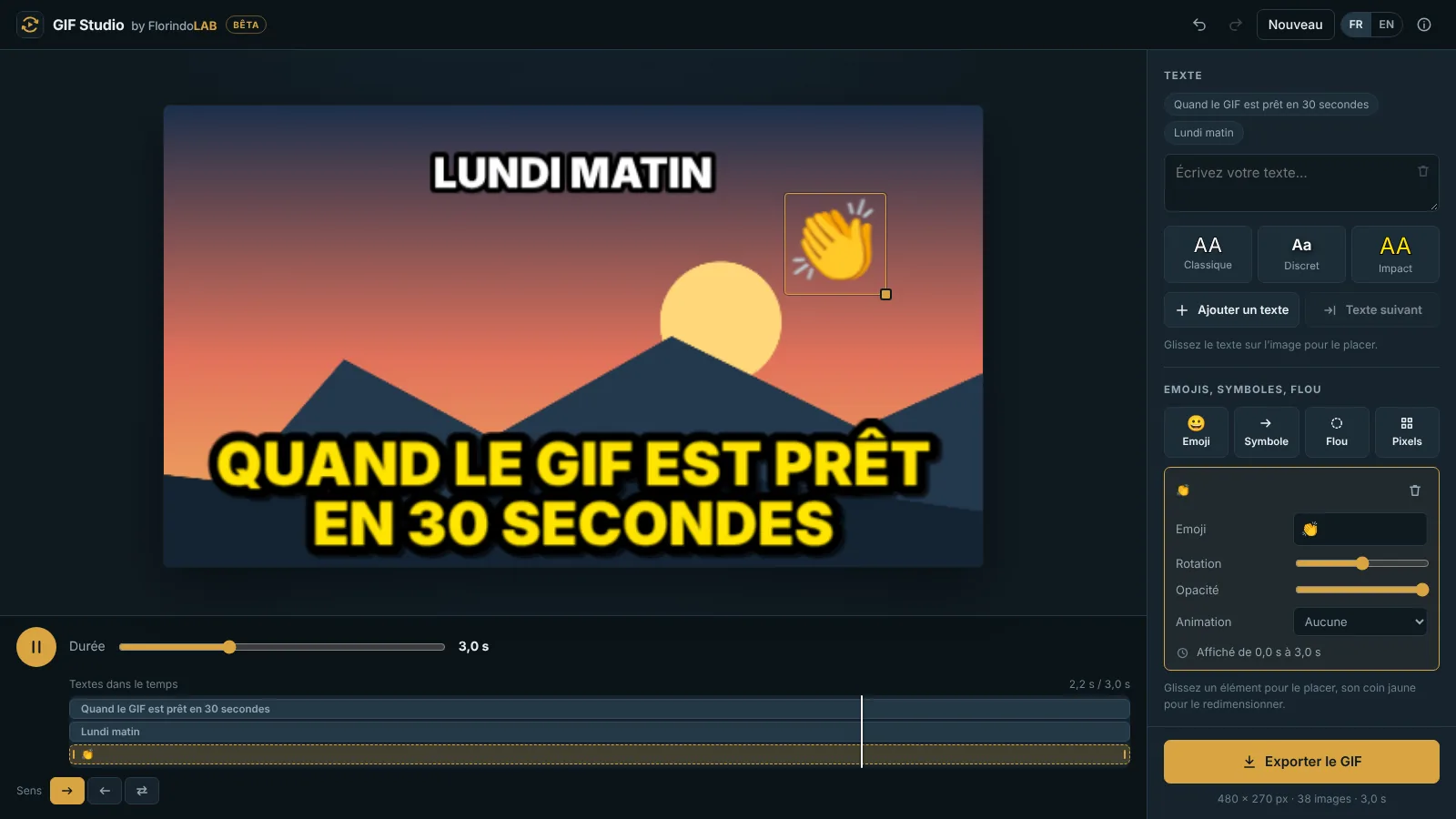
- Several texts you can drag with the mouse or a finger, with ready-made styles (classic meme, subtle, impact).
- Font, colour, outline, shadow, background band, alignment and 7 animations.
- A “Text timing” timeline to show texts one after the other.
- Emojis, shapes (arrow, circle, speech bubble, heart…) and blur or pixelate areas to hide a face or a number plate.
Export
- Exact preview: what you see is what gets exported.
- File size kept in check automatically (5 MB, 10 MB in higher quality).
- Download, or share directly on mobile.
Work in progress is kept in the browser so you can pick it up later. Interface in French and English. Works in recent Chrome, Edge, Firefox and Safari.
This is a beta version: if something does not work, the tool's “About” button copies the technical information to include in your message.
Screenshots